Taskrabbit Live Activity

Freelance Labor, Online Marketplace

Solving the "Where's My Tasker?" Question

TaskRabbit was missing a feature that ride-sharing apps like Uber and Lyft had made standard. My personal experience, coupled with real-time tracking in other service apps, inspired me to explore how a Live Activity feature could provide clients with greater transparency.

Concept Work

2.2M+ Users

Reduced Support Inquiries

Individual Contributor

Reach out if you're interested in the full case study. This has been condensed.

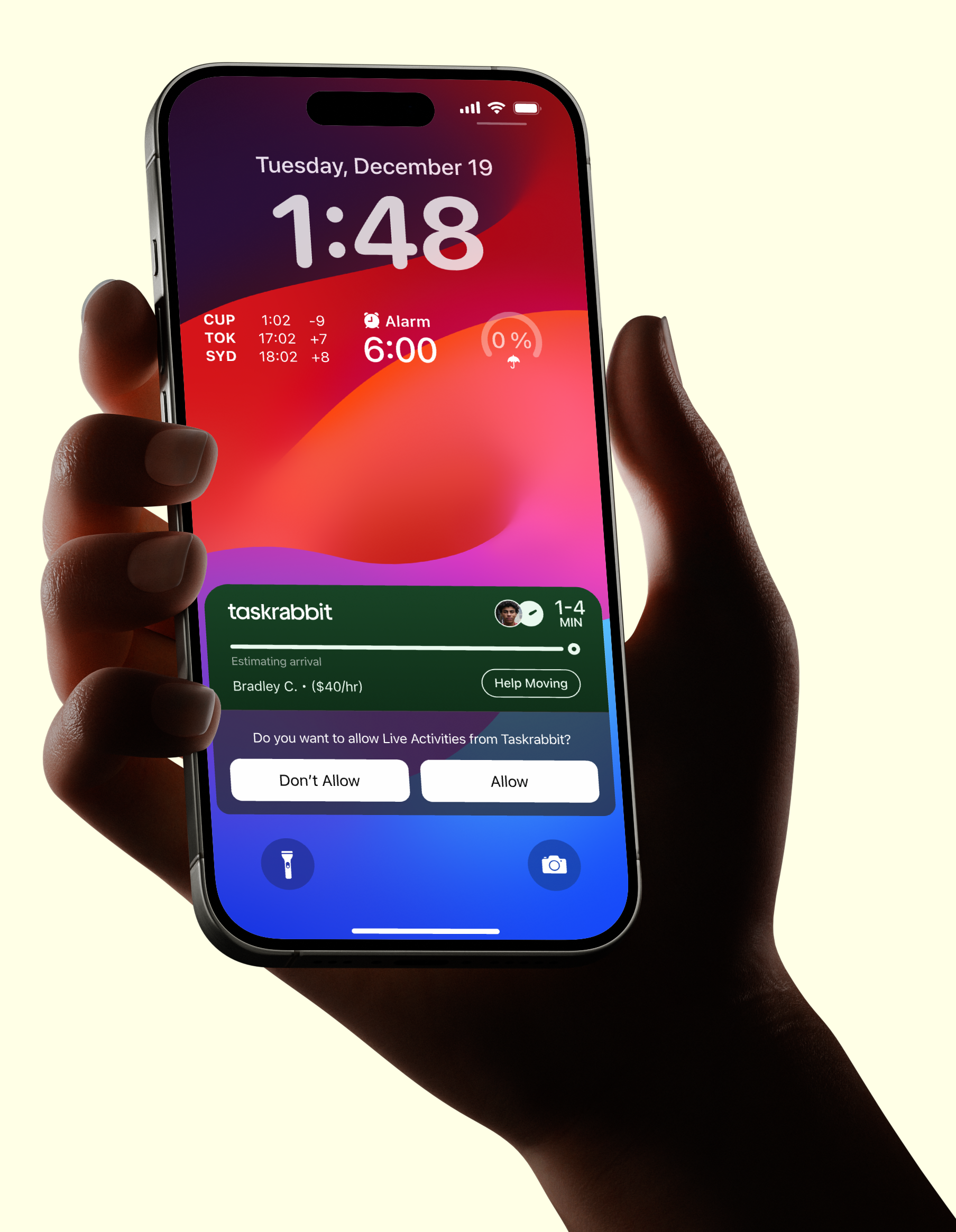
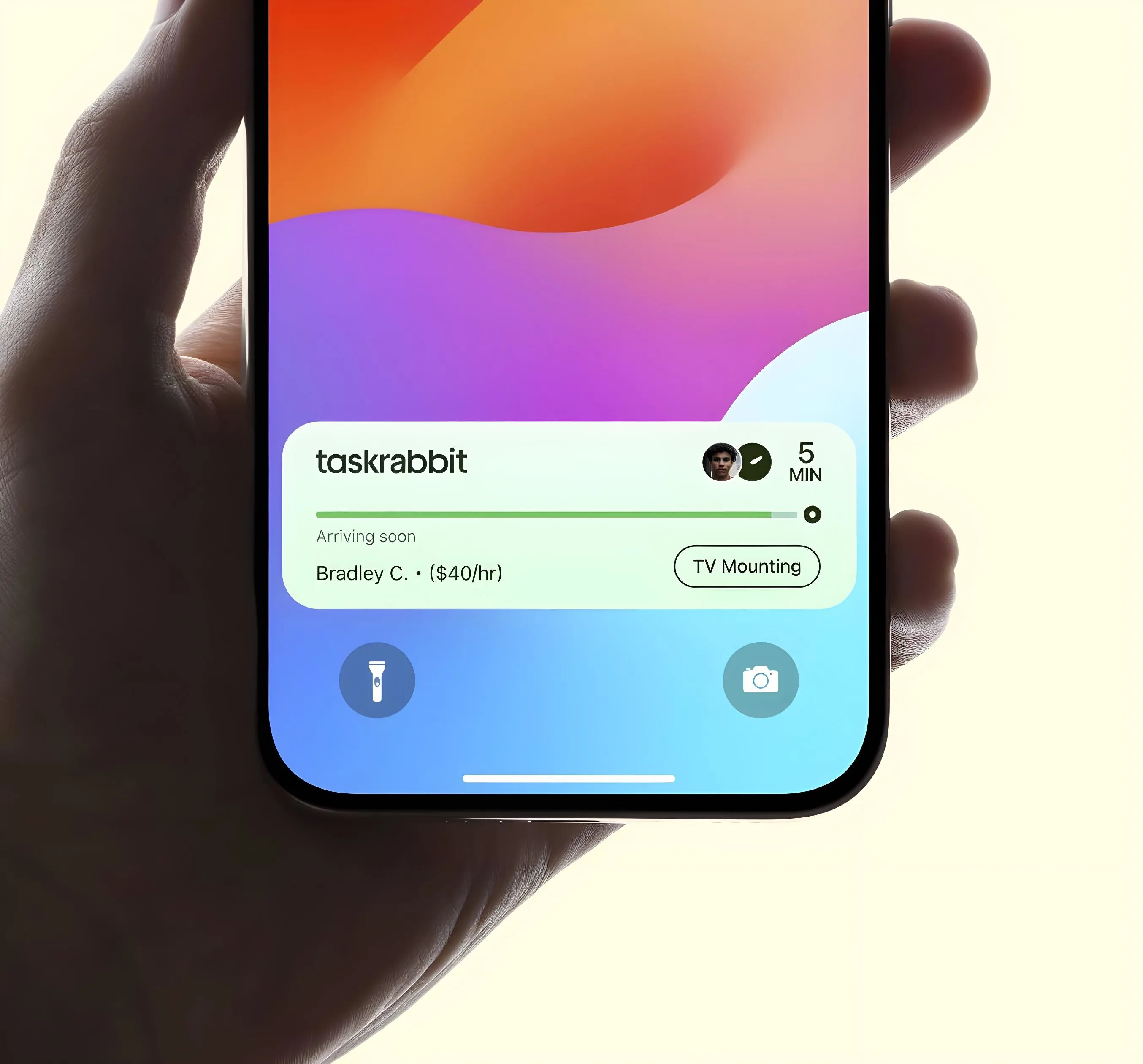
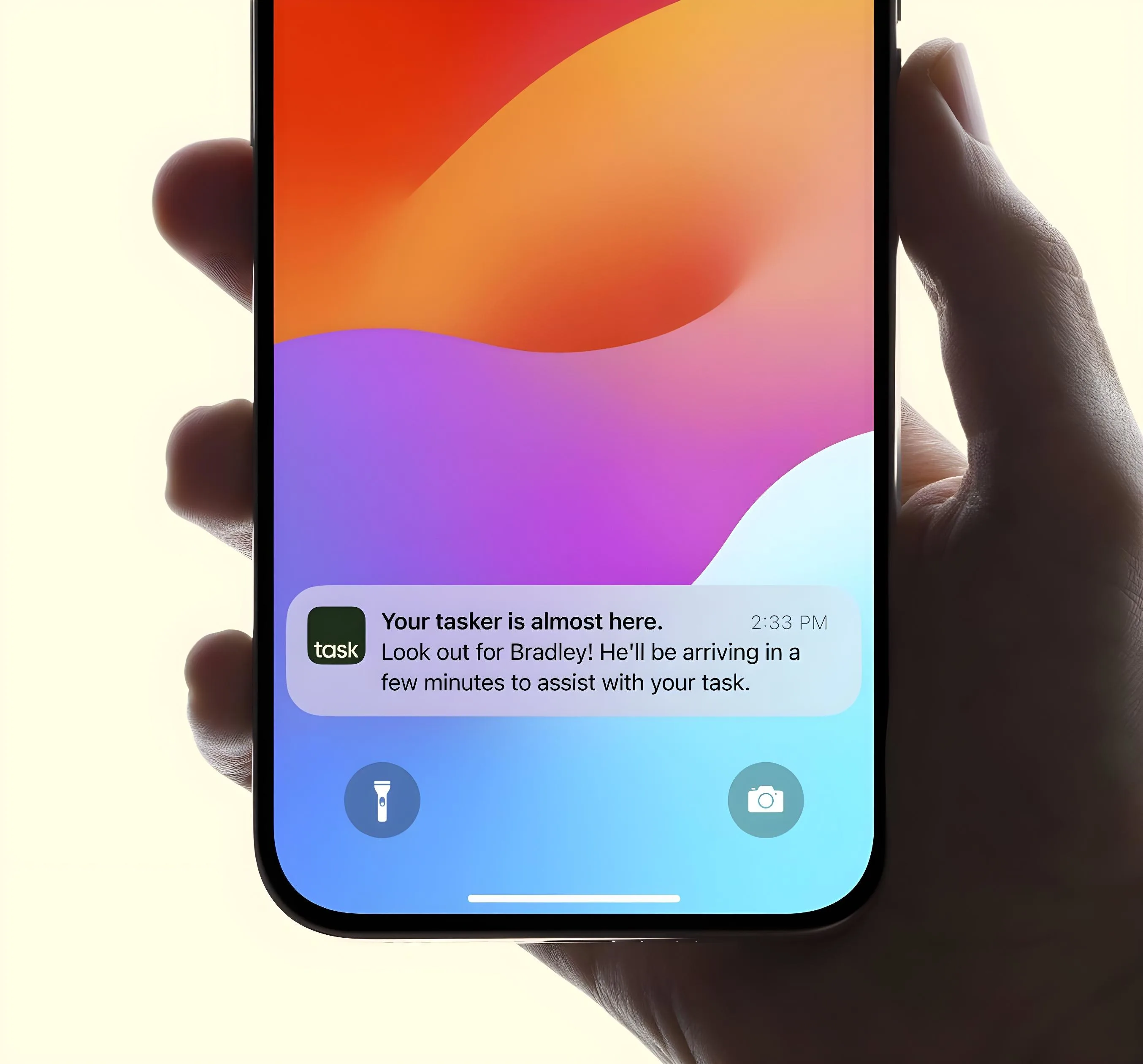
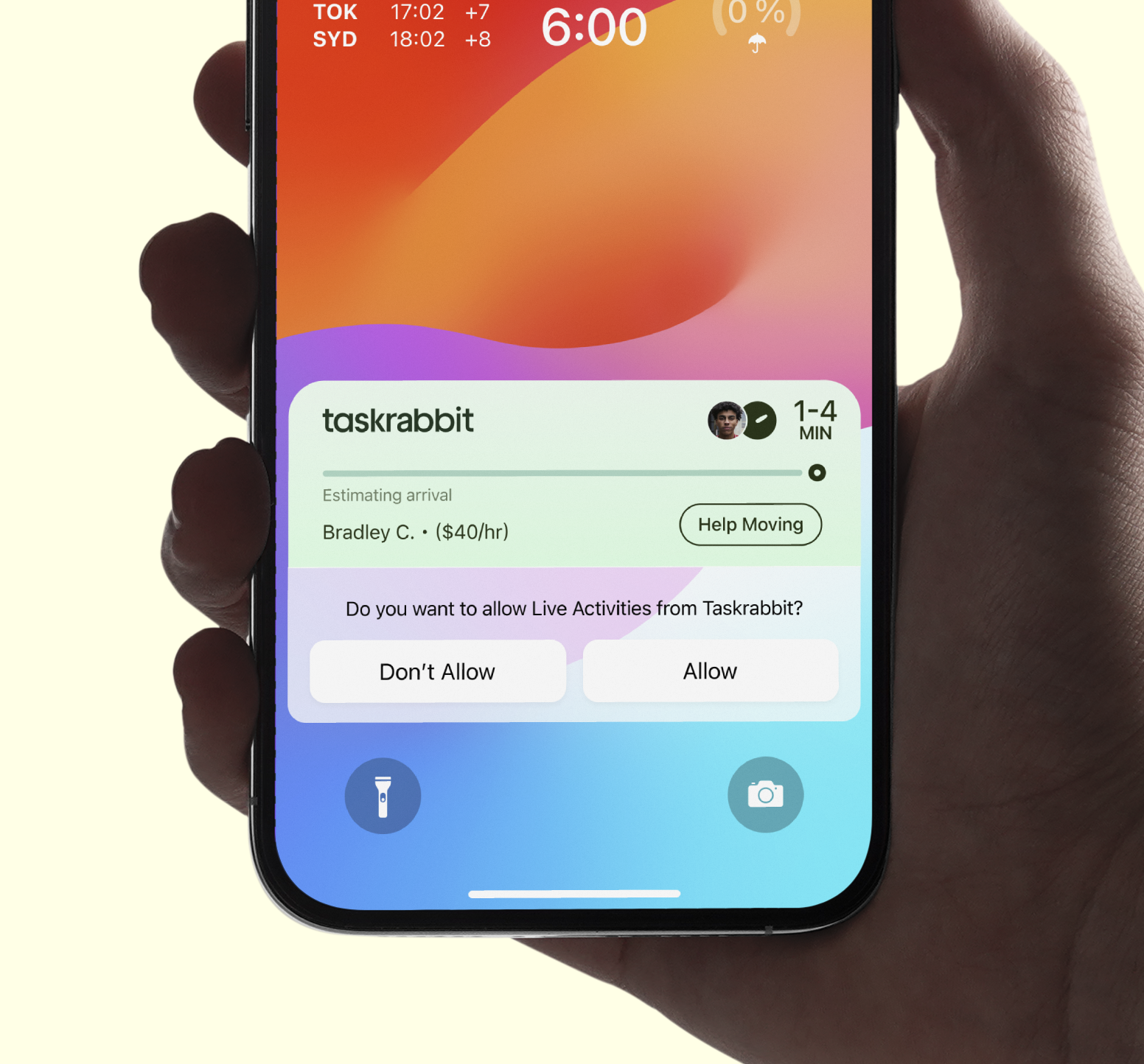
Users are prompted to allow Live Activities, enabling them to receive continuous updates about their Tasker's location and estimated arrival time directly on their lock screen.
Using iOS Live Activity to Reduce Customer Anxiety

01

The Context

1.2M+ users experiencing uncertainty during tasker waiting periods

Competitive disadvantage against ride-sharing apps that set user expectations

89% of iPhone users running iOS 16+ (Live Activities compatible)

Why It Matters

The scale of Taskrabbit's operations—averaging 10K daily tasks—highlights the volume of user interactions that could benefit from enhanced transparency. Think: Where is my Tasker now? He's late.

The interface shows essential task details including the Tasker's profile, current status ('Estimating arrival'), and task type ('Help Moving').
Not all information matters at every moment. A Tasker's rating might be important when they're confirmed, but their ETA becomes critical when they're en route.
02

The Problem: The Current Experience Gap

While ride-sharing apps have set user expectations for real-time tracking available on the lock screen and dynamic island, TaskRabbit's current experience requires users to:

1. Open the app to check status
2. Navigate to messaging to contact the Tasker
3. Wait for manual ETA updates

This creates unnecessary friction in an experience that should prioritize convenience and peace of mind.

Real Customer Pain Point:
"I've been waiting for ten minutes for my Tasker and he is already 5 minutes late. I only booked him for 2 hours and can't afford any more. Where is he right now?" - Unsatisfied Customer

The Real Cost:
Customer anxiety during the waiting period drives support inquiries, impacts satisfaction scores, and creates friction that could lead to churn.

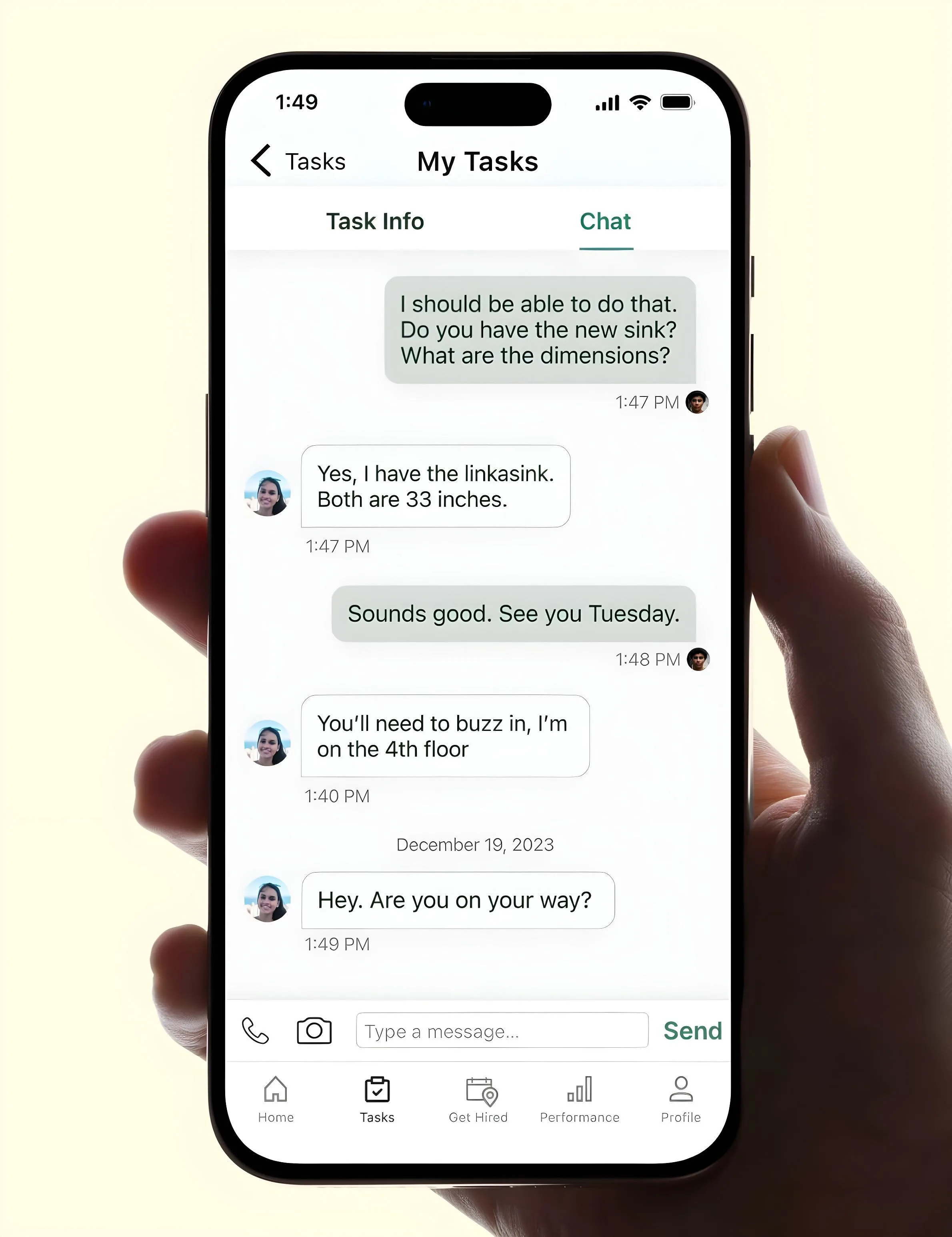
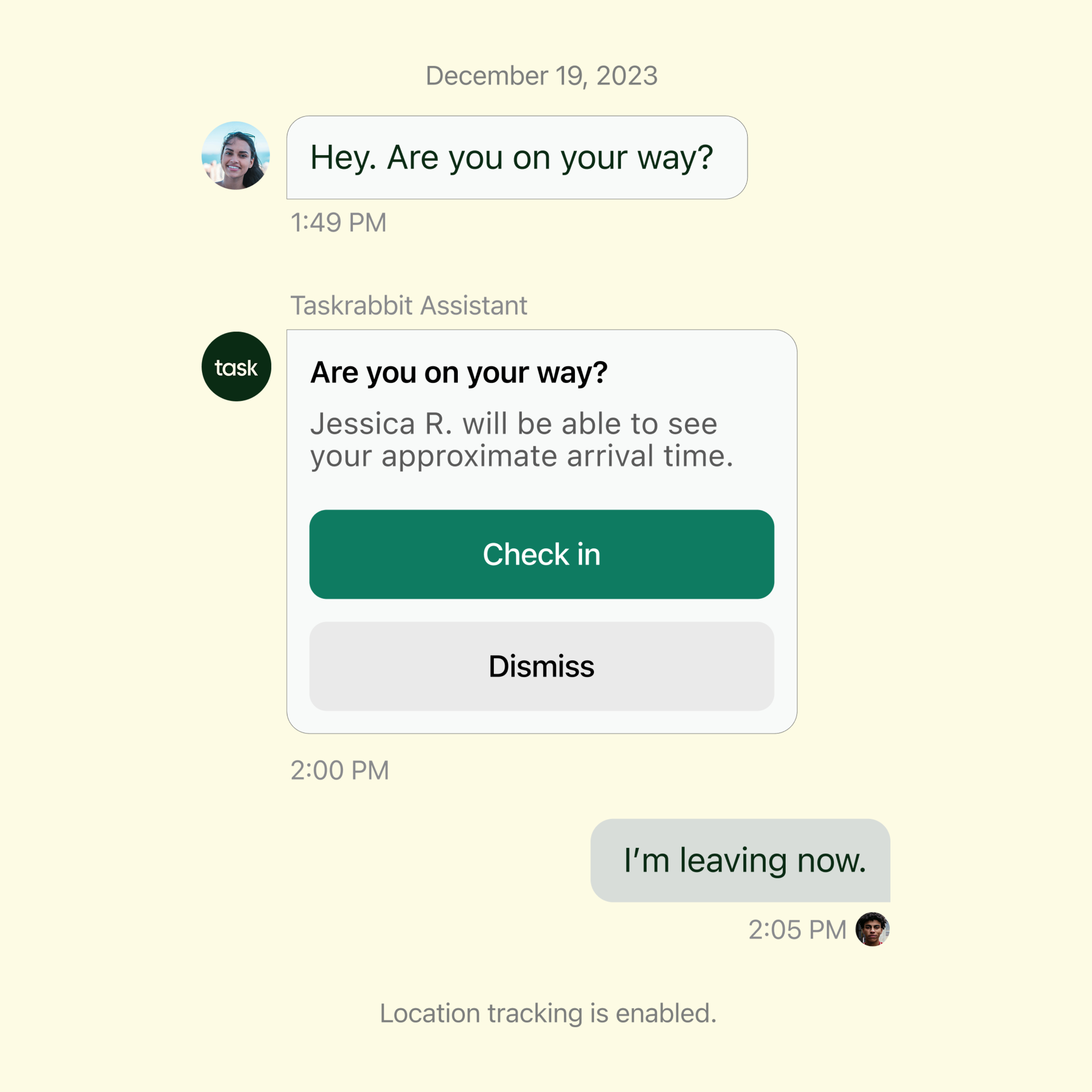
In-app integration is how Live Activity connects with the existing chat functionality. The Taskrabbit Assistant prompts the Tasker to check in, thus starting location sharing.
This then triggers the Live Activity feature. It's this handoff between chat and the Live Activity integration that allows the users to track their Tasker's progress.
03

Research + Design Approach

Learning From The Best

Before designing, I studied how industry leaders designed for real-time tracking. Uber and Lyft taught me about ruthless prioritization—focusing laser-sharp on ETA and location, with everything else secondary.

These insights shaped my core design principles:

Design Decisions

Progressive Information
Show what matters now—not everything at once. "On My Way" triggers within a 60-minute window to balance utility with battery performance. ETA dominates when a Tasker is far away; arrival push notifications become triggered when they're close (approximately 5 minutes).

Glanceable Hierarchy
Working within Live Activities' height constraint forced precise information architecture: Primary (Tasker ETA—largest), Secondary (job title and Tasker details), Tertiary (task pricing and status text).

Dynamic Island Integration
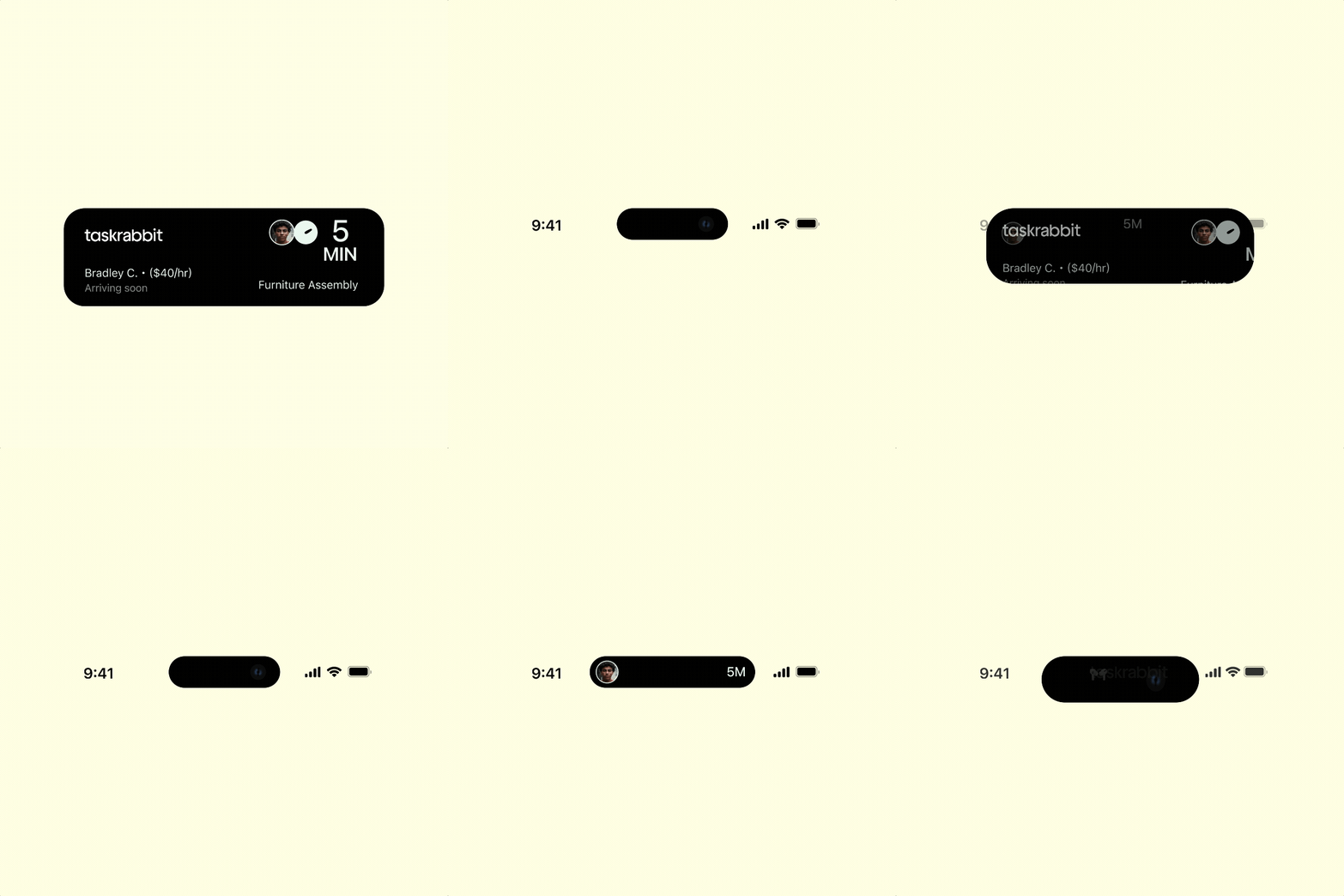
Compact state displays Tasker photo and ETA countdown for iPhone 14 Pro+ users. Expanded state reveals the full task details and estimated arrival. Tap launches TaskRabbit for additional actions.

Smart State Management
Automatic progression through stages with intelligent notifications: alert a delay when ETA changes significantly, push notification when Tasker is 5 minutes away, auto-dismissal upon arrival.

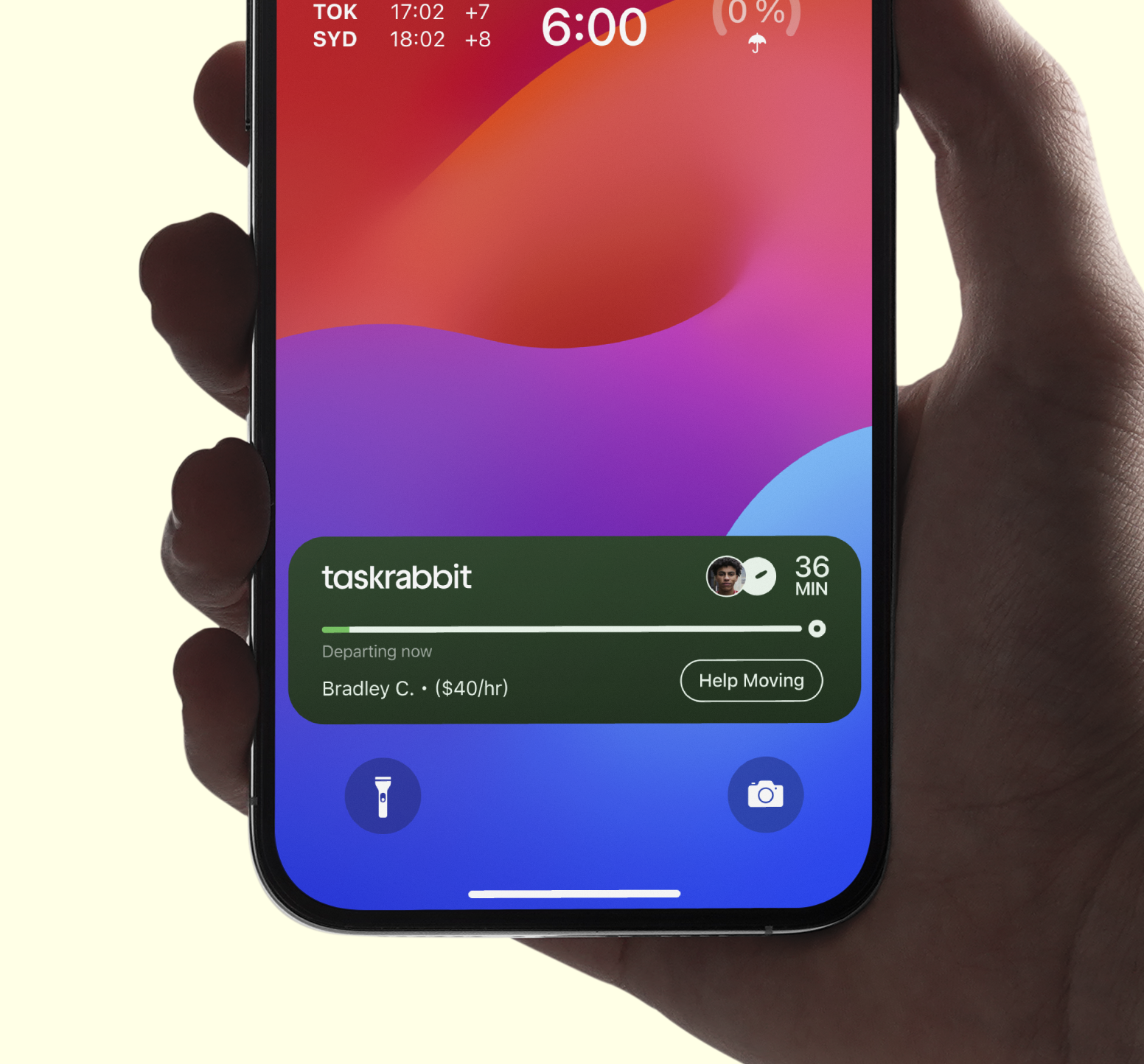
Dark mode variant, utilizing a dark green background with white and green accents.
Light mode variant, utilizing a light green background with dark green accents.
04

The Solution

Peace of Mind Through Platform-Native Design

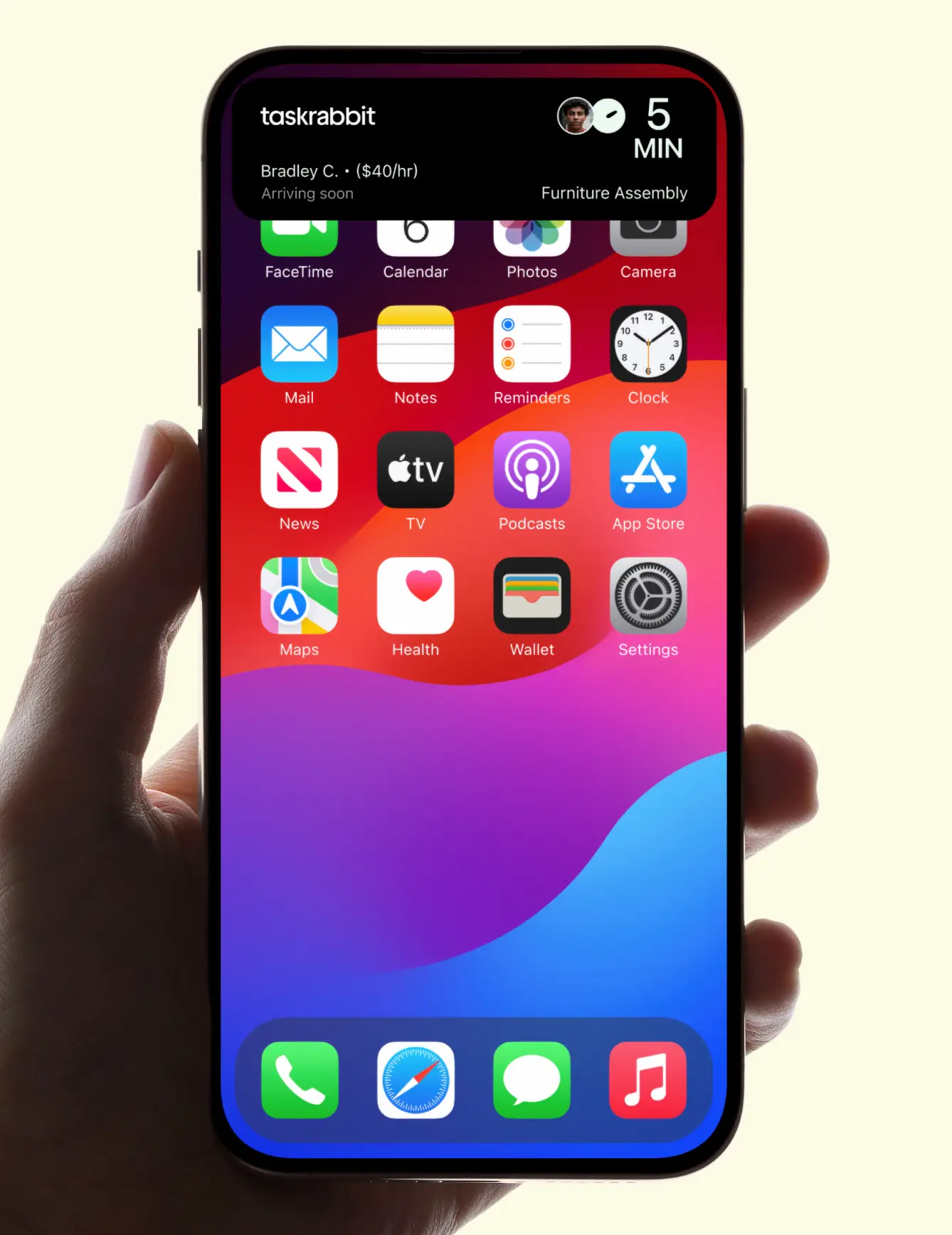
Rather than building a custom in-app tracking feature, leveraging iOS Live Activities provided a better solution that works when the phone is locked—exactly when customers need it most.

Core Features Delivered

Real-Time Tracking
• 'On My Way' trigger when Tasker begins their route
• Automatic ETA calculations based on live location data
• Dynamic push notification when a Tasker is near

Glanceable Information
• Lock screen integration showing essential details at a glance
• Task context (job title, pricing, Tasker rating) without opening app
• Brand colors for immediate recognition (in dark/light modes)

The Design Evolution Before Final Design
I had conducted A/B testing with 3 participants on 3 variants with subtle but evident hierarchical differences. While the variations appeared minor, they addressed key design considerations:

Brand identity with different color treatments (light/dark)
Information density (e.g., star ratings vs. numeric ratings)
Visual contrast for readability
Various status messages (variants of "Departing now," "On the way," "Arriving soon")

The Live Activity will also appear in the Dynamic Island on compatible iPhone models (iPhone 14 Pro and later), providing a concise view of the Tasker's ETA.
05

State Management

Intelligent Progression

A Visual Showcase of States

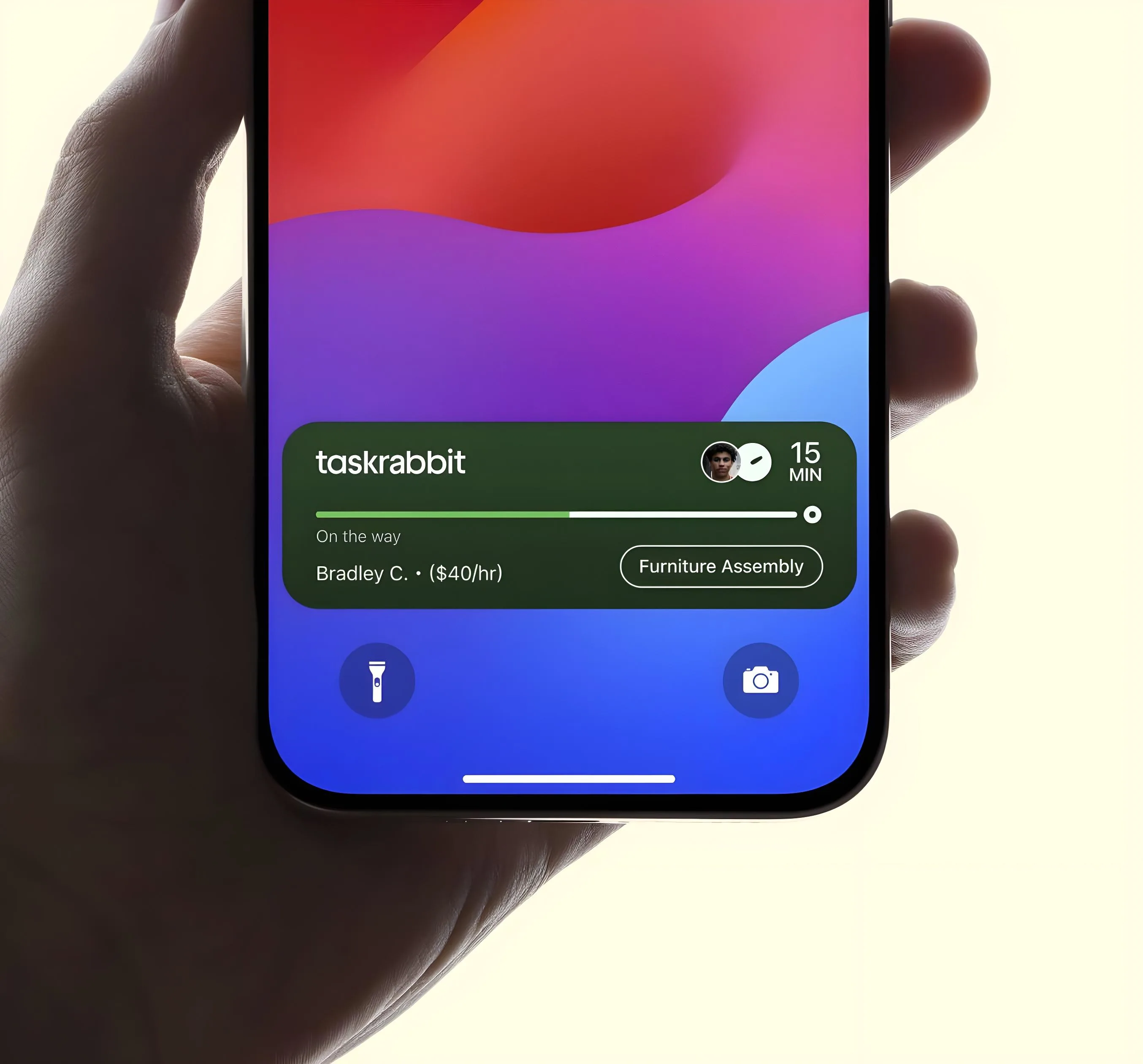
"On the way"
Bradley C., Help Moving, $40/hr | 15 min ETA with green progress bar and timer icon

"Arriving soon"
<5 min countdown, progress bar nearing completion, push notification alert

"Delayed"
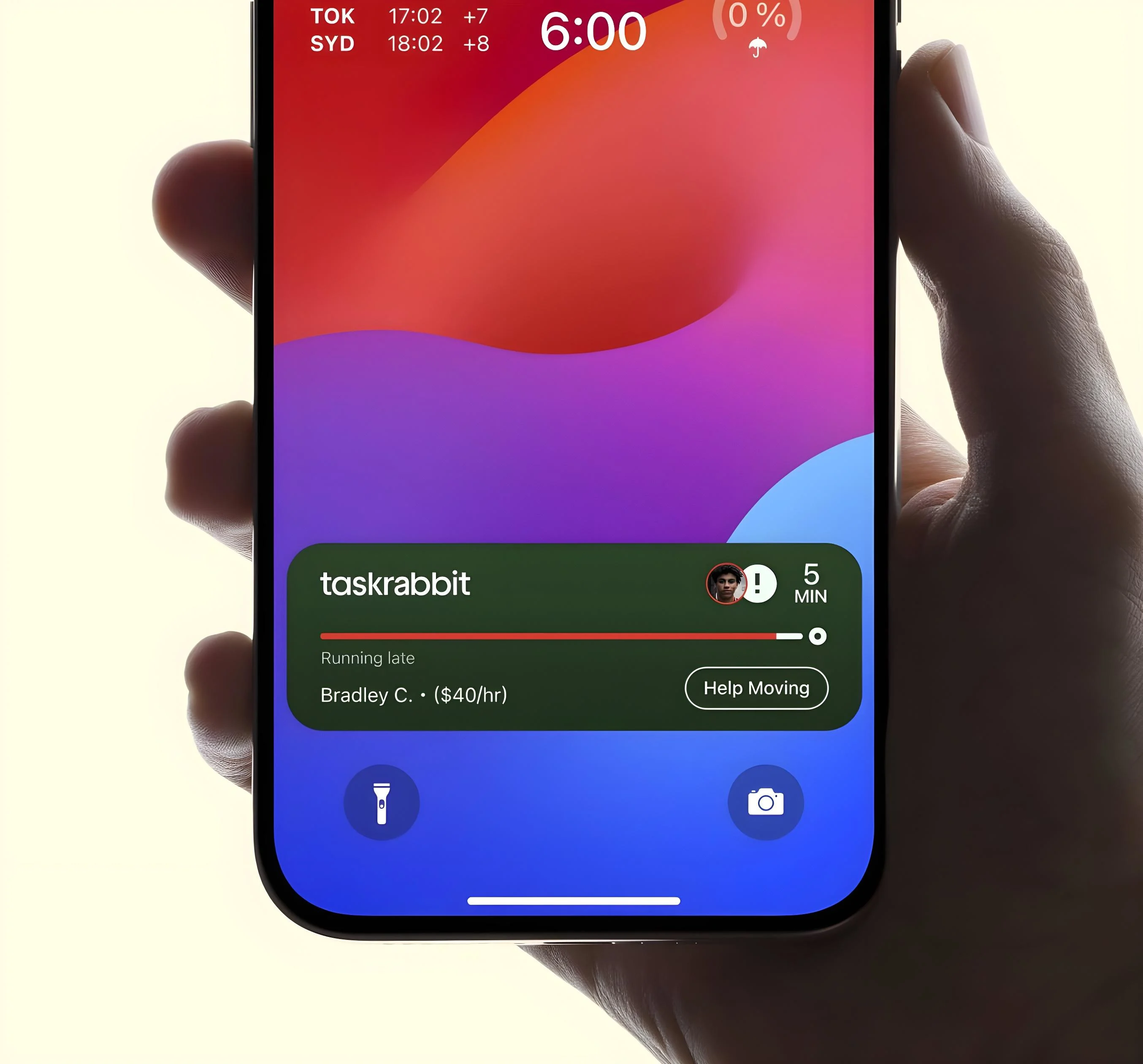
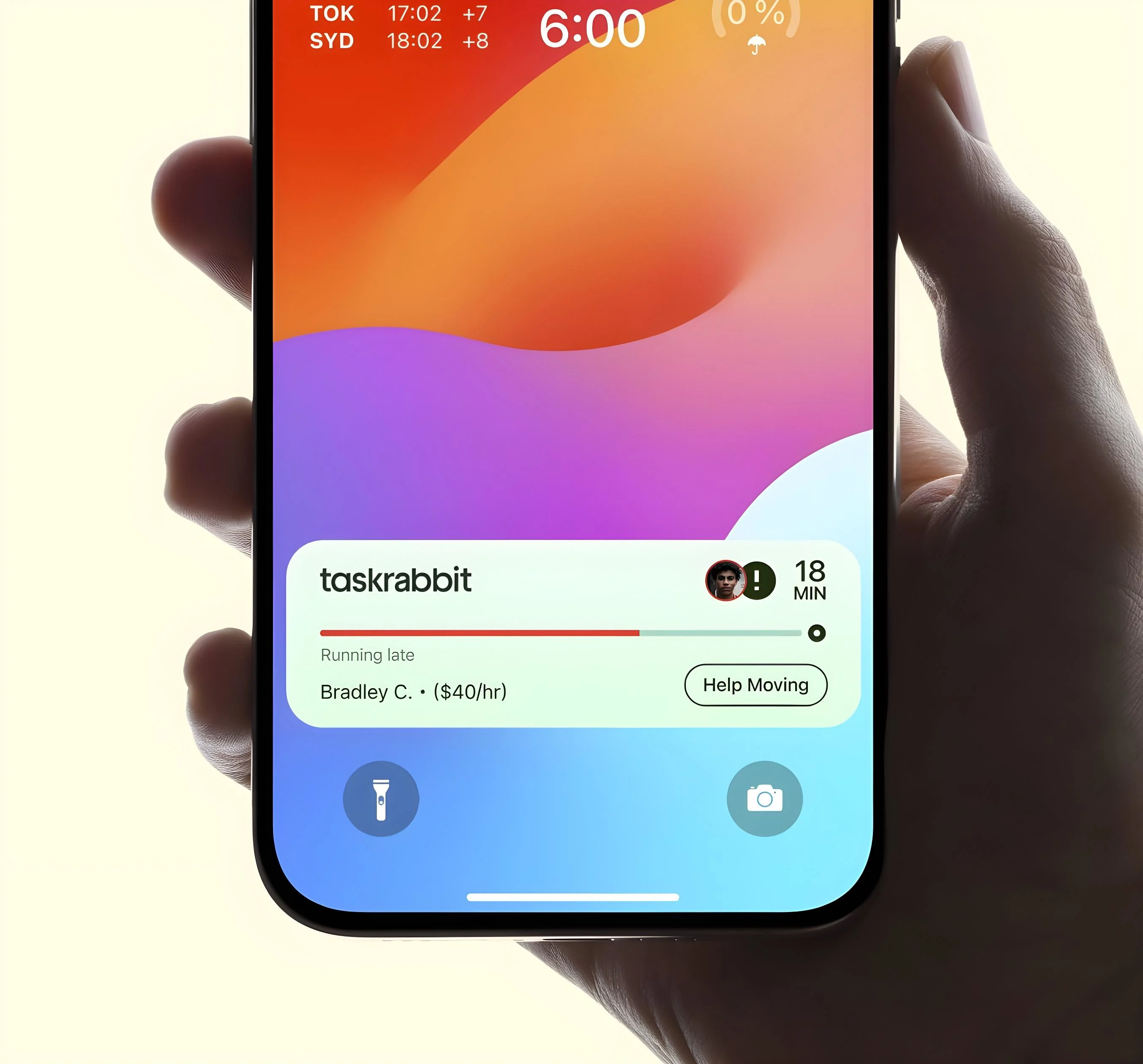
Red progress bar, alert icon replaces timer, updated ETA for transparency: "Running late"

"Arrived"
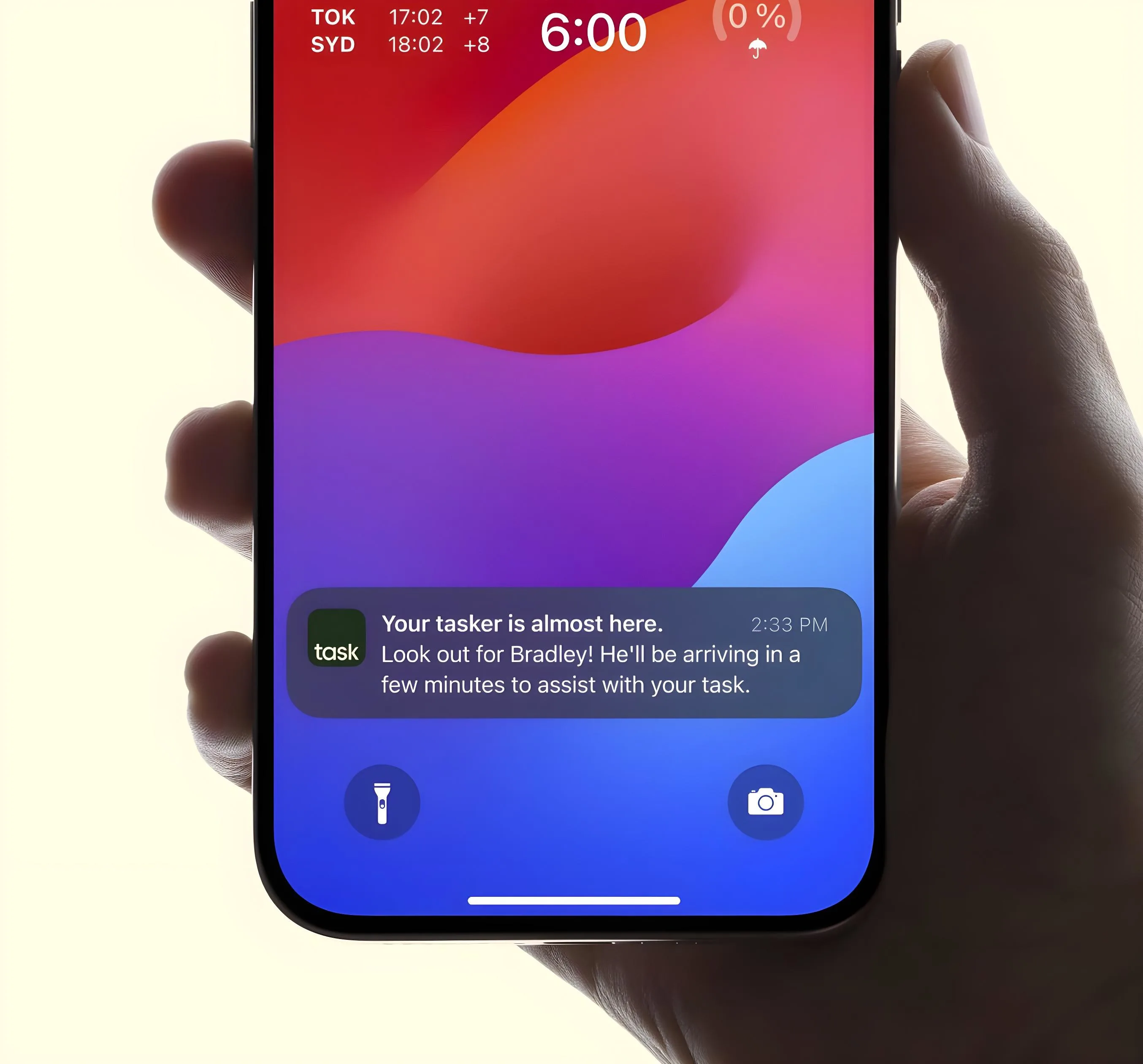
Final push notification trigger with prominent banner: "Your Tasker has arrived"

Common iOS Patterns Applied:

Push notification sent at end of journey ensures user is alerted with banner, sound, or vibration
Live Activity dismissed from Lock Screen and Dynamic Island after arrival
Brief appearance in "recent" section before the live activity is completely removed

Dark mode. Towards the end of Live Activity, it's best practice to to send a push notification, ensuring the Taskee is alerted about arrival.
Light mode. The customer is alerted with a prominent banner, sound, or vibration, even if they aren't actively looking at their Lock Screen or Dynamic Island.
06

Impact & Reflection

Design Decisions That Matter

Why 60-Minute Trigger Window?

This timeframe balances system performance with customer value. Longer tracking would increase server load and battery drain; shorter windows may not provide meaningful value for users.

Platform-Native vs. Custom Solution

Rather than building custom in-app tracking, leveraging iOS Live Activities provided better UX that works when the phone is locked—addressing the core user need more effectively.

Technical Validation: Many TaskRabbit's users have compatible iOS devices, meaning Live Activities could immediately have a positive impact the majority of the mobile user base on iOS.

Delayed State: In the next iteration, the Live Activity may indicate where the Tasker is delayed (e.g. ‘On Main Street’ or 'Last updated: 10 minutes ago' if they're underground).
Delayed state's light mode design.
07

Key Learnings

Platform-Native Innovation

Sometimes the best solution isn't building something new—it's leveraging existing platform capabilities in new ways. This approach reduced development complexity while delivering a better UX.

Constraint-Driven Clarity

Working within Live Activities' display limitations forced cleaner information architecture and more focused UI decisions. Lock screen real estate is precious—every element needed to justify its presence.

Future Opportunities

• Task-specific pre-arrival messages ("Secure pets for dog walking")
• Custom Dynamic Island iconography for different service categories

Explore other ideas I've brought to life.

©22 — 26